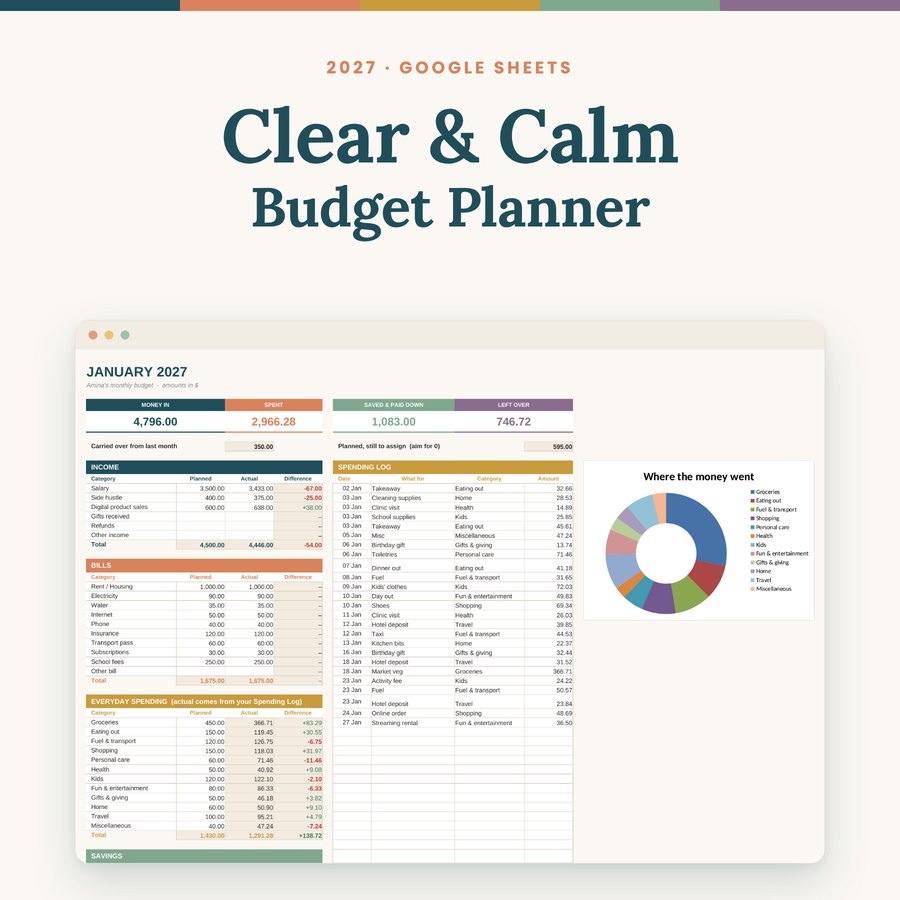
Spreadsheet templates are one of the most popular digital products you can sell, and you don't need to be a coder to make one. Here's the exact process I followed for my Clear & Calm Budget Planner, including the mistakes I made so you can skip them.
1. Build the sheet so the buyer only types
A good template does the hard part for the buyer. Decide which boxes they fill in and which ones calculate. I used white boxes for typing and sand-coloured boxes for formulas, and put a colour key on the first tab so nobody has to guess.
Before you sell, fill it with pretend numbers and check that every total is right. Then make a second, empty copy. The filled one becomes your demo for screenshots; the empty one is what you sell.
2. Turn it into a real Google Sheet
If you built it in Excel or WPS, upload it to Google Drive, open it with Google Sheets, then choose File > Save as Google Sheets. This matters: until you do it, the file is still an Excel file sitting in Drive, and dropdowns and formulas may not behave.
3. Share it the right way
This is the step most people get wrong. Never give buyers an "editor" link. Everyone would be typing into your one original file.
- Click Share, then change General access to Anyone with the link and set it to Viewer.
- Copy the link. It ends with something like
/edit?usp=sharing. - Replace that ending with
/copy.
Now anyone who clicks the link sees a big Make a copy button and gets their own private version. Your original stays untouched.
Watch out
Check the very end of your link. An extra full stop or an equals sign after /copy breaks it, and the buyer sees "Sorry, the file cannot be opened." Test it in an incognito window before you sell.
4. Deliver it inside a PDF
Gumroad sends files, not links, so I put the copy link inside a short PDF with a big button, a few setup steps, and how to reach me if something goes wrong. That PDF is the file buyers download.
5. Make the listing do the selling
Use real screenshots from your demo copy, a square thumbnail, and a wide cover. In the description, say clearly what's inside, how to get it, and that a free Google account is needed. Clear expectations mean happy buyers and fewer questions.
6. Keep your original safe
Every buyer's link points to your original file. Don't delete it, don't move it to the bin, and don't switch it back to Restricted. If you improve the sheet, new buyers get the new version automatically.